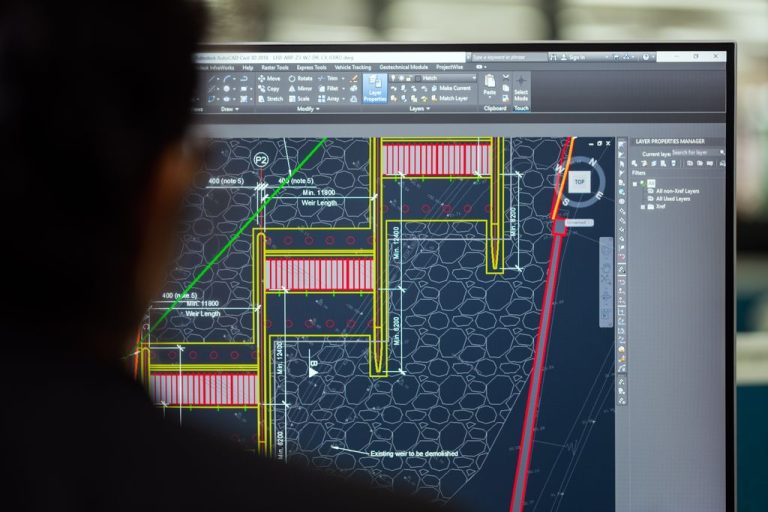

Choose an IT provider for your architecture firm by evaluating their experience with CAD and BIM file backup solutions, workstation performance optimization, secure remote access for project teams, and compliance with Texas Business and Commerce Code Chapter 521 data breach notification requirements. Expect managed IT services to range from $100 to $250 per user per month, with specialized architecture workflows requiring providers who understand rendering deadlines and multi-site project coordination.
What IT challenges are unique to architecture firms in Dallas?
Architecture firms in Dallas face distinct technology demands that generic IT providers often misunderstand. Your design files are exponentially larger than typical business documents, with single BIM models routinely exceeding 500 MB and rendering projects consuming terabytes of storage.
The Dallas-Fort Worth metroplex’s geographic spread compounds these challenges when your team manages project sites from Uptown to Fort Worth and beyond. Real-time collaboration on construction documents requires network performance that won’t bottleneck when multiple architects access the same model file simultaneously.
Texas weather patterns create additional risk. Tornadoes, ice storms, and severe thunderstorms can disable your office for days, but client deadlines and consultant coordination schedules don’t pause for natural disasters. Your IT provider must understand that losing three days of design development work can cost you a project or damage client relationships irreparably.
Texas Business and Commerce Code Chapter 521 imposes specific data breach notification requirements when client information is compromised. Architecture firms hold sensitive data including building security plans, owner financial information, and proprietary design concepts that competitors would value highly. An IT provider unfamiliar with these obligations leaves you exposed to both legal liability and reputational damage.
Your IT provider must recognize that architecture workflows differ fundamentally from standard office productivity, requiring specialized infrastructure and support protocols.
Which technical capabilities should your architecture IT provider demonstrate?
The right provider brings demonstrable expertise in the technology stack that powers modern architecture practice. Start by evaluating their experience with workstation optimization for Revit, AutoCAD, Rhino, and rendering engines like V-Ray or Enscape.
Request specific examples of how they’ve solved problems for architecture or engineering firms. A provider who references “professional services” generically likely lacks the specialized experience you need.
Technical capability matters less than demonstrated experience with the specific software, file types, and workflows that define architecture practice.
How should you evaluate cybersecurity expertise for architecture firms?
Your design files represent months of billable work and proprietary design concepts that competitors would pay to access. Cybersecurity for architecture firms extends beyond preventing data breaches to protecting intellectual property and maintaining client confidentiality.
Ask prospective providers how they would conduct a vulnerability assessment specific to your firm. Generic penetration testing misses architecture-specific risks like unsecured project FTP sites, consultant access that persists after project closeout, or rendering farm vulnerabilities. A qualified provider will offer cybersecurity assessments that evaluate your entire technology ecosystem, including cloud storage, workstation configurations, and third-party integrations with construction management platforms.
Architecture firms experience 3.2 times more ransomware attacks than average businesses because design files command higher ransom payments and tight deadlines pressure firms to pay quickly.
Evaluate their approach to dark web monitoring. Your firm’s credentials, client lists, and project details may already be circulating on criminal marketplaces following breaches at software vendors or consultants you’ve worked with. Proactive dark web surveillance identifies compromised information before attackers exploit it, giving you time to reset credentials and notify affected clients as Texas law requires.
Ask about their incident response protocols. If ransomware encrypts your project files on a Friday afternoon before Monday’s design development presentation, what happens? The provider should articulate specific recovery time objectives, communication procedures, and how they’ll restore your systems while preserving forensic evidence for potential law enforcement involvement.
Common Security Misconception
Many architecture firms assume their project management platform’s security is sufficient. Cloud-based collaboration tools protect data in transit and at rest, but they don’t prevent an employee from accidentally sharing a Dropbox link publicly, don’t monitor for compromised credentials, and won’t detect when a former consultant continues accessing files months after their contract ended. Comprehensive security requires layered controls that your IT provider must implement and monitor continuously.
Cybersecurity expertise for architecture firms means understanding both the technical vulnerabilities and the business context that makes your design files uniquely valuable targets.
What pricing models work best for architecture firm IT support?
Architecture firms face cyclical workloads where support needs spike during design development and construction document phases, then moderate during schematic design. Your pricing model should accommodate this reality rather than penalizing you for predictable workflow patterns.
Three primary pricing structures dominate the managed IT services market, each with distinct implications for architecture practices.
Per-user pricing typically delivers the best value for architecture firms because it includes proactive monitoring, security updates, and unlimited helpdesk support. When a principal architect’s workstation crashes during a rendering job, you need immediate response without calculating whether the support call fits your remaining hourly budget.
Ask what’s included in the base per-user rate versus what costs extra. Some providers exclude backup storage, email security, or after-hours support, creating surprise bills precisely when you’re most vulnerable. Silver Storm Solutions offers customizable pricing and plans for businesses of all sizes, allowing you to scale services as your firm grows without renegotiating contracts.
Evaluate whether the provider offers strategic IT consulting as part of their service or charges separately. Architecture firms benefit enormously from quarterly technology planning that aligns IT investments with business development goals, like expanding into new markets or adopting advanced visualization technologies.
Request a detailed proposal that itemizes exactly what you’re paying for. Vague “comprehensive support” language often hides limitations that surface only when you need help most urgently.
Transparent, predictable pricing aligned with your actual usage patterns prevents budget surprises and ensures you receive the support your firm requires during deadline-critical periods.
What questions should you ask before signing an IT services agreement?
The questions you ask before committing reveal whether a provider truly understands architecture firm operations or simply wants another monthly recurring revenue account. Focus your evaluation on specifics rather than accepting generic reassurances.
Start with response time commitments. Ask what happens when your network goes down at 4:00 PM on a Friday before a Monday morning client presentation. Do they offer after-hours support? What’s their average response time for critical issues versus routine requests? How do they define “critical” in the context of architecture workflows?
Ask about their experience with the specific software your firm uses. If you run Revit, ArchiCAD, Rhino, and SketchUp across your team, the provider should articulate how they handle licensing management, version compatibility, and plugin conflicts. Generic “we support all software” claims indicate superficial knowledge.
Inquire about their approach to technology lifecycle planning. Your workstations have finite useful lives, and replacing them reactively when they fail costs more and creates productivity losses. A mature provider will help you develop a refresh schedule that spreads capital expenses while ensuring your team always has adequate computing power for current software demands.
Request references from other architecture or engineering firms they support. Speaking with peers who’ve worked with the provider for multiple years reveals patterns that sales presentations conceal. Ask those references specifically about how the provider handled their worst technology crisis and whether they’d choose the same provider again.
Finally, evaluate cultural fit. Your IT provider will have access to sensitive business information and will interact with your team regularly. Do they communicate in language you understand, or do they hide behind technical jargon? Do they listen to your concerns, or do they push predetermined solutions? The relationship works best when the provider acts as a trusted advisor rather than a vendor.
The right questions expose whether a provider has genuine architecture firm expertise or simply wants to add your firm to their client roster without understanding your unique requirements.
| Cutting-edge remote access technology for swift technical issue resolution | Customizable pricing and plans for businesses of all sizes |
| Weekly integrity testing for backup solutions | Air-gapped backup security |