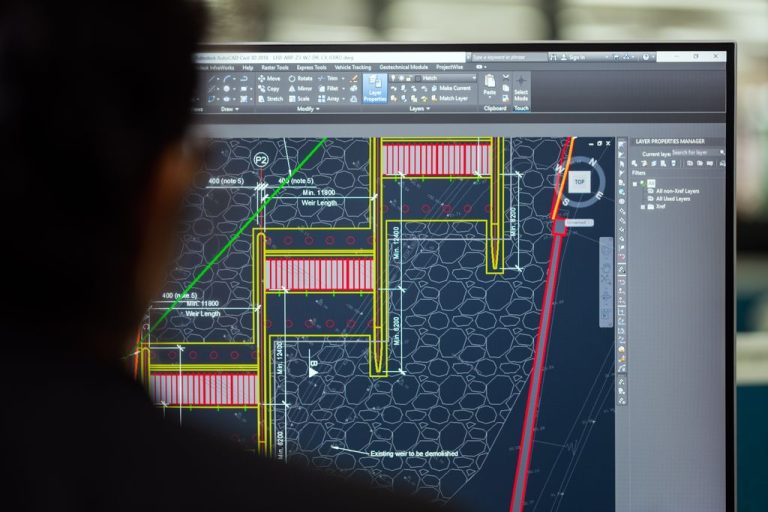

Yes, Silver Storm Solutions provides comprehensive support for CAD workstations, rendering farms, and high-performance computing infrastructure used by engineering firms in Plano. Our team manages workstation specifications with 32GB to 128GB ECC RAM and professional-grade GPUs, optimizes network bandwidth for multi-gigabyte file transfers, implements backup solutions for design repositories, and supports multi-site network management for distributed engineering teams. We ensure your compute-intensive applications run reliably with minimal downtime.
What hardware specifications do CAD workstations require?
CAD workstations demand significantly more processing power, memory, and graphics capability than standard business computers. Engineering applications like SolidWorks, AutoCAD, CATIA, and Revit require dedicated professional-grade GPUs, not consumer gaming cards.
Modern CAD workstations typically need Intel Xeon or AMD Ryzen Threadripper processors with at least 8 cores, 32GB to 128GB of ECC RAM for stability during long rendering sessions, and NVIDIA Quadro or AMD Radeon Pro graphics cards with 8GB to 24GB of VRAM. Storage architecture matters equally: NVMe SSDs for the operating system and active project files, with high-speed network-attached storage for design repositories.
Thermal management becomes critical when workstations run FEA or CFD simulations for hours. We specify workstation chassis with adequate cooling, monitor CPU and GPU temperatures, and implement preventive maintenance schedules to avoid thermal throttling that degrades performance.
|
1
|
Workstation Specification and Procurement
We assess your engineering software requirements and specify workstations that meet or exceed vendor recommendations, sourcing components from reliable suppliers with business-grade warranties.
|
|
2
|
Driver and Firmware Management
Professional GPU drivers receive quarterly certification updates for major CAD applications. We test driver updates in a controlled environment before deploying to production workstations to prevent compatibility issues.
|
|
3
|
Performance Monitoring and Optimization
We monitor workstation performance metrics, identify bottlenecks in CPU, GPU, RAM, or storage subsystems, and recommend targeted upgrades that deliver measurable productivity improvements.
|
Properly specified and maintained workstations reduce project delays caused by system crashes or slow rendering times.
How do you handle network infrastructure for large CAD file transfers?
Engineering files frequently exceed hundreds of megabytes or even gigabytes for complex assemblies. A single Revit model with linked files can reach 2GB to 5GB, and transferring these files over inadequate network infrastructure creates productivity bottlenecks.
Our network solutions for engineering firms start with 10-gigabit backbone switches and Cat6A or fiber cabling to workstations. We implement Quality of Service (QoS) policies that prioritize design file traffic over general web browsing, ensuring engineers can check out and check in large assemblies from PLM systems without waiting.
For firms with multiple offices in the Dallas-Fort Worth metroplex, we deploy site-to-site VPN connections or dedicated MPLS circuits that enable seamless access to centralized design repositories. Silver Storm Solutions specializes in multi-site network management for geographically distributed operations, a critical capability when engineering teams collaborate across Plano, Dallas, and Fort Worth locations.
A well-architected network reduces file transfer times by 60-80% compared to standard office infrastructure.
We also configure local caching servers at branch offices to reduce WAN traffic for frequently accessed reference files and component libraries.
What backup and disaster recovery strategies protect engineering data?
Engineering intellectual property represents years of design work and millions of dollars in development investment. Losing CAD files, simulation results, or technical data packages to ransomware, hardware failure, or accidental deletion can halt projects and damage client relationships.
Silver Storm Solutions implements backup and disaster recovery solutions specifically designed for large engineering datasets. We use incremental forever backup technology that captures only changed file blocks, reducing backup windows and network load. Our backup architecture includes on-site appliances for rapid file restoration and cloud replication for geographic redundancy.
We perform weekly integrity testing for backup solutions, verifying that files can be restored quickly and completely. Our air-gapped backup security protects against ransomware that attempts to encrypt both production data and connected backup repositories.
For engineering firms subject to ITAR or CUI requirements common among Dallas-Fort Worth defense contractors, we implement backup encryption and access controls that meet federal compliance standards. Version control integration ensures that engineers can retrieve specific design iterations from backup archives when needed for change order documentation.
Comprehensive backup strategies provide both operational resilience and regulatory compliance for engineering data.
Can you support rendering farms and distributed computing resources?
Rendering photorealistic visualizations, running topology optimization algorithms, or executing CFD simulations requires compute resources far beyond individual workstations. Many engineering firms deploy rendering farms or leverage cloud-based high-performance computing to accelerate these workflows.
Silver Storm Solutions designs and manages on-premises rendering clusters using rack-mounted servers with multiple GPUs, configured with job scheduling software that distributes rendering tasks across available nodes. We monitor cluster utilization, identify underperforming nodes, and scale capacity as project demands increase.
| Computing Approach | Best Use Cases | Key Considerations |
|---|---|---|
| On-Premises Rendering Farm | Frequent rendering jobs, sensitive IP that cannot leave premises, predictable workload patterns | Requires upfront capital investment, ongoing maintenance, cooling infrastructure |
| Cloud HPC (AWS, Azure) | Sporadic high-demand projects, need for elastic scaling, access to specialized GPU instances | Pay-per-use pricing, data transfer costs, requires secure connectivity and access controls |
| Hybrid Approach | Baseline workload on-premises with cloud burst capacity for peak demand periods | Most flexible but requires sophisticated orchestration and cost management |
For cloud-based HPC, we configure secure VPN tunnels to major cloud providers, implement identity and access management policies, and monitor cloud resource consumption to prevent budget overruns. Our team has experience with engineering-specific cloud platforms that offer pre-configured environments for popular simulation packages.
We also support workstation virtualization using NVIDIA GRID or AMD MxGPU technology, enabling engineers to access GPU-accelerated virtual desktops from thin clients or laptops. This approach centralizes computing resources in a data center while providing flexibility for remote work or client site visits.
The right compute architecture balances performance, cost, security, and flexibility for your specific engineering workflows.
How do you ensure uptime for mission-critical engineering applications?
Engineering projects operate under tight deadlines, and workstation downtime directly impacts billable hours and project delivery schedules. A single day of CAD system unavailability can delay deliverables and erode client confidence.
Silver Storm Solutions provides proactive monitoring and maintenance for engineering IT infrastructure. Our remote monitoring tools track workstation health metrics, server performance, network utilization, and application responsiveness 24/7. When anomalies appear, our team receives automated alerts and can often resolve issues before engineers notice any impact.
We leverage cutting-edge remote access technology for swift technical issue resolution, connecting to workstations and servers to diagnose problems, apply patches, or adjust configurations without requiring an on-site visit. For issues that do require physical intervention, our Dallas-Fort Worth presence enables rapid response times to Plano engineering firms.
|
Preventive Maintenance Schedules
Regular workstation health checks, disk cleanup, driver updates, and thermal inspections prevent small issues from escalating into system failures during critical project phases.
|
|
|
Redundant Infrastructure Components
We design server and storage systems with redundant power supplies, RAID arrays, and failover networking to eliminate single points of failure that could bring down design repositories or PLM systems.
|
|
|
Spare Workstation Components
Maintaining an inventory of spare GPUs, RAM modules, and SSDs enables same-day hardware replacement when components fail, minimizing engineer downtime.
|
|
|
Application-Specific Support
Our team understands the interdependencies between CAD applications, PLM systems, license servers, and rendering engines, enabling faster troubleshooting than generalist IT providers.
|
License server management deserves special attention. Many CAD applications use network floating licenses, and license server failures can immediately halt work for an entire engineering team. We monitor license server health, maintain current maintenance agreements with software vendors, and implement license server redundancy for firms with large engineering teams.
Our approach to cloud solutions includes documentation of your engineering software environment, vendor contacts, and escalation procedures. When complex issues arise, we coordinate directly with software vendors’ technical support teams to expedite resolution.
Proactive management and rapid response capabilities keep engineering teams productive and projects on schedule.
What does high-performance computing support cost for engineering firms?
IT support costs for engineering firms vary significantly based on workstation count, infrastructure complexity, and service level requirements. Industry-standard managed IT services typically range from $100 to $250 per user per month, but engineering environments often require specialized support that commands premium pricing.
Silver Storm Solutions offers customizable pricing and plans for businesses of all sizes, recognizing that a 10-person engineering startup has different needs and budget constraints than a 100-person firm with multiple offices. Our pricing considers the number of workstations under management, server and storage infrastructure, backup data volumes, and the level of after-hours support required.
For context, helpdesk and ad-hoc support across the IT services industry typically costs $150 to $300 per hour, while IT projects such as workstation deployments or network upgrades range from $150 to $250 per hour. Firms that engage these services reactively often spend more annually than those who invest in comprehensive managed services with predictable monthly costs.
Workstation specifications and refresh cycles impact both capital expenditure and ongoing support costs. High-end workstations require more sophisticated monitoring and maintenance than standard business desktops.
Backup and storage costs scale with data volumes. Engineering firms generating terabytes of design data annually need enterprise-grade backup solutions with higher associated costs than typical business environments.
Compliance requirements for ITAR, CUI, or other regulations add costs for specialized security controls, audit documentation, and staff training that general business IT support does not include.
When evaluating IT support options, engineering firms should consider total cost of ownership including downtime costs, which can far exceed the monthly service fee. A single day of system unavailability for a team of engineers can cost thousands of dollars in lost productivity and delayed project revenue.
For engineering firms comparing in-house IT versus managed IT services, the analysis should account for salary and benefits for qualified IT staff with engineering application expertise, which can be difficult to recruit and retain in the competitive Dallas-Fort Worth market.
Transparent pricing discussions that account for your specific environment and growth plans lead to the most cost-effective IT partnerships.
|
Cutting-Edge Remote Access
Swift technical issue resolution for workstations and servers
|
Customizable Pricing
Plans tailored for engineering firms of all sizes
|
|
Weekly Backup Testing
Integrity verification for your design repositories
|
Air-Gapped Security
Ransomware-proof backup architecture
|